_English_
Sidebar

en:bilder:public:pw
Table of Contents
Krasna Photo Collection · pw
Picture World ● Digital historical photos related to Krasna, Akkerman, Bessarabia.
With the large image collection in Krasna Photo Collection, I reached the performance limits of my rented web hosting at the beginning of 2024. The problem has now been identified and circumvented with the Dokuwiki software. During the downtime, I set up a second solution for image management using the Piwigo software. See which one you prefer.
You need access data for this image archive. If you do not have this, please request it again. post@otto-riehl.de
The huge photo collection in „Krasna Photo Collection“ is linked to the individual persons in the person report with more than 20,000 hyperlinks.
 Click on the image to open the website.
Log in
This image archive is a standalone web application.
Your username and email address have been assigned by the administrator, just like on the main Krasna Photo Collection website.
All users from KPC back to November 2023 are included.
When using it for the first time, you will need to set up a password. You can change your password later, for example to the one you use for KPC.
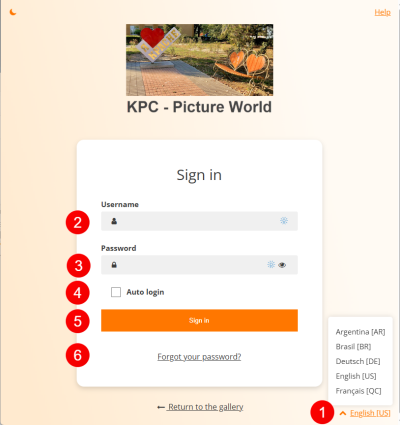 Click on the image to open the website.
- Select your language
- Username (or email address), exactly what you use for KPC.
- Password
- Auto-login
- Registration
- Forgotten password (also for initial setup).
Set up or renew password
Have you forgotten your password? Then click on the button in the right-hand corner. You can assign a new password. All you need to do is enter your username or email address as registered with KPC.
When setting up for the first time, you must use the username or email address used for KPC.
- Delete all emails you received from previous attempts by KPC-PW with a “confirmation code.”
- Restart your PC so that nothing in the cache interferes.
- Start your Internet browser.
Follow the link: https://pw.krasna-photo-collection.de/password.php
Must look like this: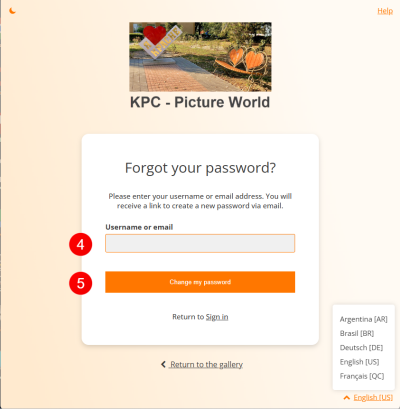
- You are already registered with KPC-PW. All you need is a valid password.
You are registered with KPC-PW using an email address that was sent to you separately.
Please copy the spelling exactly. - Click on “Change my password.”
- Leave the next screen as it is.
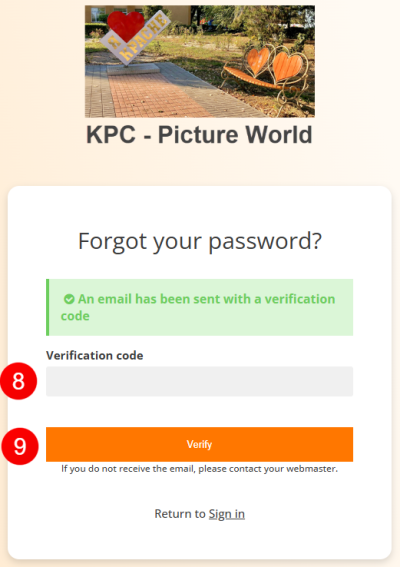
- Switch to your email display. Wait for a new email from KPC-PW with a confirmation code. Copy the confirmation code.

- Return to the registration process.
Enter the new confirmation code (copy). - Once you have entered the confirmation code correctly, click on “Verify.”
- Then the display will change. Think of a “New Password” and enter it here.
I recommend using the KPC password.

- In the window, enter the new password a second time to confirm.
- Click on “Confirm my new password.”
- Finally, you will receive the message “Your password has been successfully reset.”
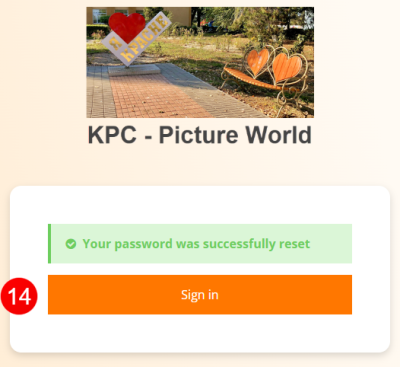
- Done. Click on “Sign up.”“.
- In future, you can log in with your user name or email address and password and access the full content of KPC-PW.
https://pw.krasna-photo-collection.de/identification.php

- This is what the home page should look like:
At the top left, you will be greeted with “Hello” and your “username.” - Save your login details for Krasna Photo Collection — Picture World (KPC-PW)
- Username:
- Email address:
- Password:


Help
If you are unable to access the site, please contact me. I will then assist you.
Search
Use the search function. You will be amazed and delighted.

Comments
You can write comments under the pictures.
Use this opportunity to connect with your relatives! This may help you establish contact with other relatives.
Write in your native language. Readers can use a translator to translate your comments into other languages.
Enjoy!
en/bilder/public/pw.txt · Last modified: by Otto Riehl Publisher


